


DYNAMIXEL Software Solutions
DYNAMIXEL Software Solutions
Official ROBOTIS software tools for configuring, testing, and developing applications with DYNAMIXEL smart actuators across PC, embedded, and robotics platforms.
Official ROBOTIS Software
These software solutions are officially developed and maintained by ROBOTIS and fully support DYNAMIXEL Protocol 1.0 and Protocol 2.0 products.
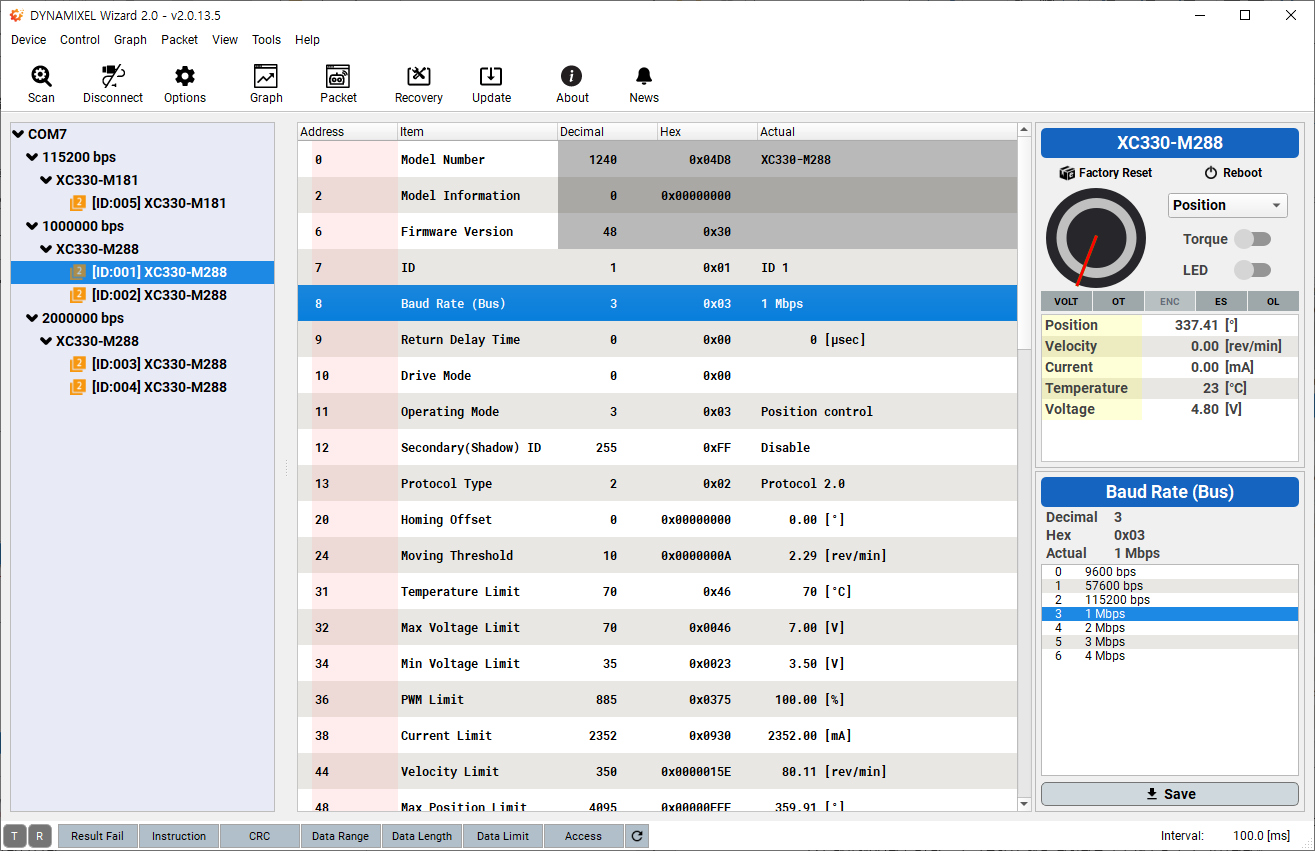
DYNAMIXEL Wizard 2.0
A graphical configuration and diagnostic tool used for setup, firmware updates, ID changes, and real-time testing without writing code.
View e-ManualDownload DYNAMIXEL Wizard →
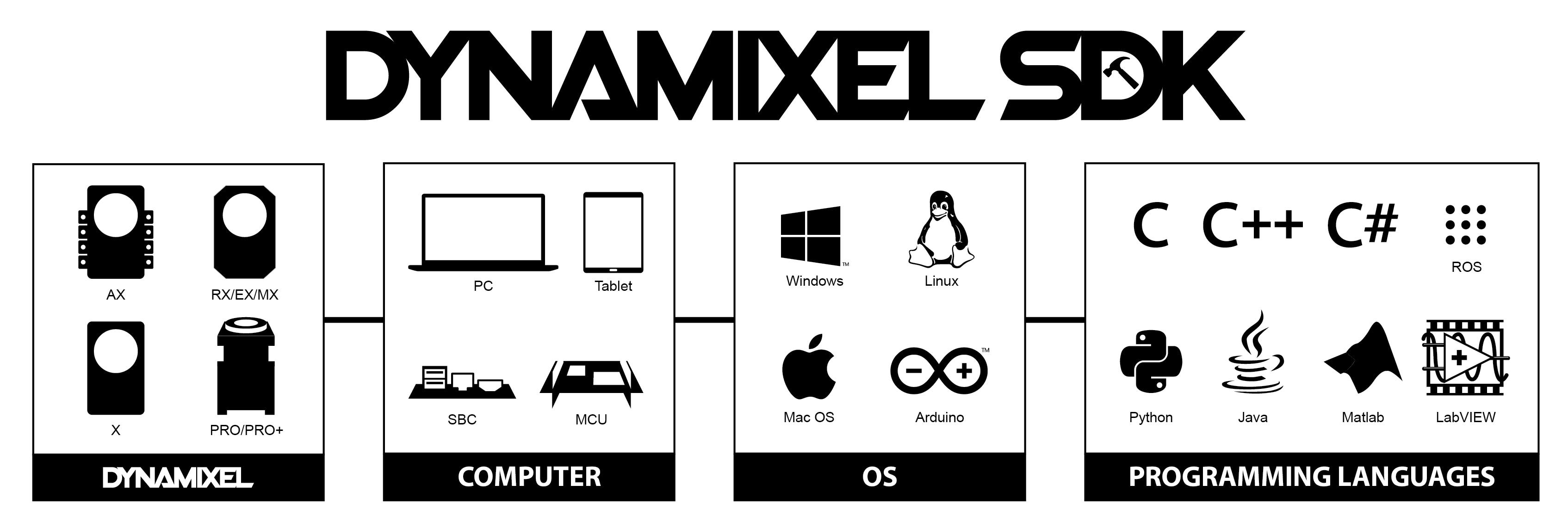
DYNAMIXEL SDK
A cross-platform SDK supporting C/C++, Python, Java, MATLAB, LabVIEW, and more for full low-level control of DYNAMIXEL actuators.
View e-ManualDYNAMIXEL Easy SDK
A simplified software development kit that provides an easy-to-use interface for controlling DYNAMIXEL actuators, ideal for beginners or rapid prototyping without low-level coding.
View e-ManualDYNAMIXEL Workbench
A simplified API layer built on top of the DYNAMIXEL SDK, commonly used with ROS and rapid prototyping robotics systems.
View e-ManualArduino IDE Support
Libraries and examples for controlling DYNAMIXEL servos using Arduino-compatible boards including OpenCM and OpenCR.
View e-ManualWhat Works with DYNAMIXEL?
To communicate with DYNAMIXEL actuators from a PC or single-board computer, a compatible interface is required to convert USB or UART signals to the DYNAMIXEL bus. The most commonly used and officially supported interface is U2D2.
- Windows, Linux, and macOS PCs (via USB-to-Serial adapters such as U2D2)
- Single-board computers like Raspberry Pi and NVIDIA Jetson
- ROS and ROS 2 robotics frameworks
- Embedded controllers: OpenCM, OpenCR, and Arduino-compatible boards
- Programming languages including Python, C/C++, Java, MATLAB, and LabVIEW
Most Commonly Used Tools
- DYNAMIXEL Wizard 2.0 for configuration and diagnostics
- DYNAMIXEL SDK for custom software development
- ROS + Workbench for research and education platforms
- Arduino-based solutions for embedded control
Download Official Software
Access the latest DYNAMIXEL software, firmware, and utilities directly from the ROBOTIS Download Center.
Go to Download Center